3 min readĐọc bằng tiếng Việt
Design the tests first, write the code second
Test case design before code: how Tokay turns a requirement into a table of cases you can review, and how VibeQA measures coverage by a fixed rule.
When an AI writes tests for you, the quickest route is to let it write the code straight away. You get a Playwright file a few hundred lines long, it runs green, and the most important question is still open: which cases does this suite try, and which ones does it miss?
Reading code to answer that is tiring. So in VibeQA, test case design comes first: Tokay writes a test design, a person reviews it, and only then comes the code.
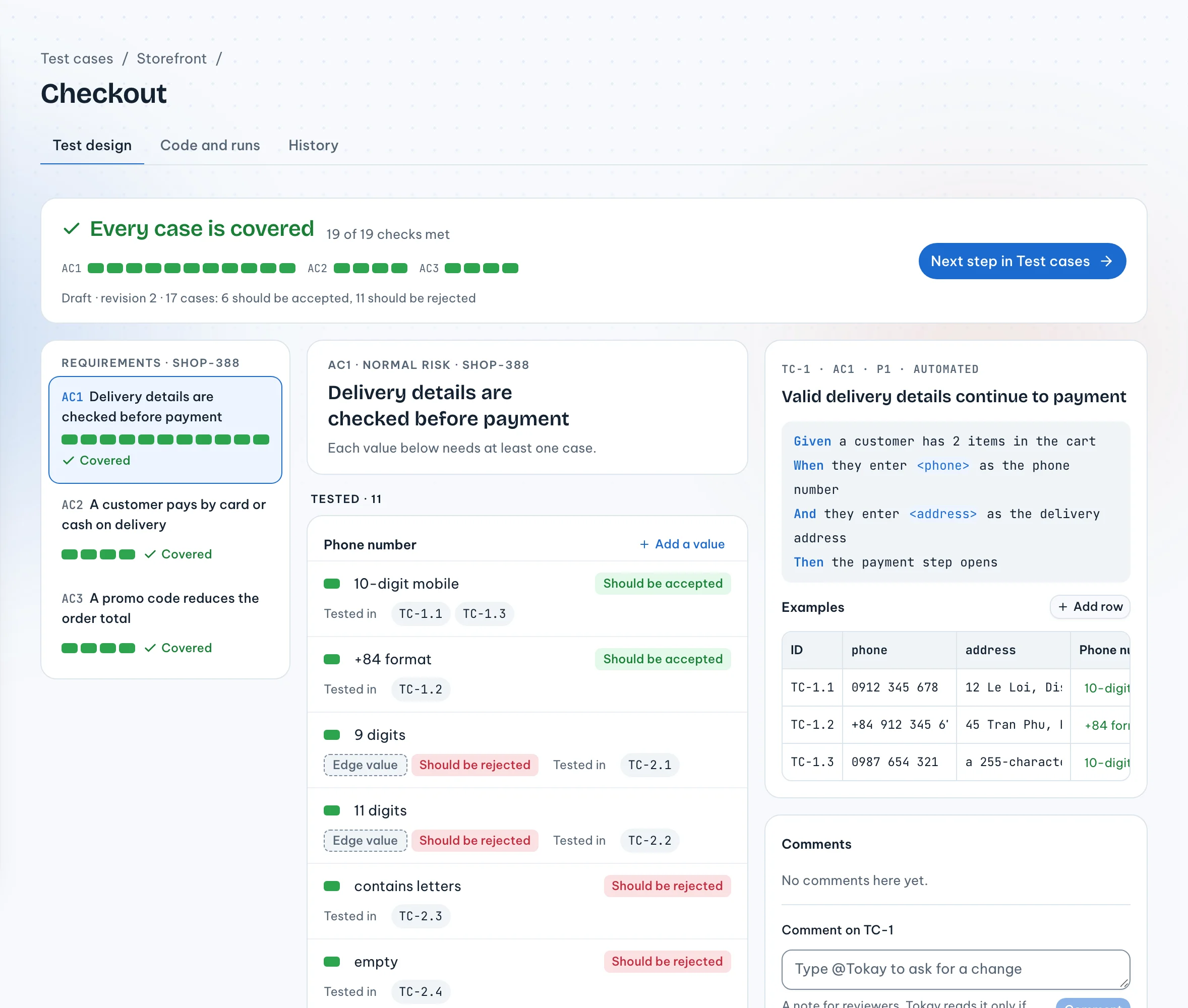
What a test case design contains
A test design goes from a requirement down to individual rows of test data:
- Requirements, taken from a ticket or a document, for example "Delivery details are checked before payment".
- A classification tree: each input is split into equivalence classes, valid and invalid, with the boundary values marked.
- Gherkin scenarios with an Examples table: every row in the table is one concrete test case.
Take a phone number field:
| Class | Kind |
|---|---|
| 10-digit mobile | Valid |
| +84 format | Valid |
| 9 digits | Invalid, boundary |
| 11 digits | Invalid, boundary |
| Contains letters | Invalid |
Reading this table takes ten seconds, and an experienced tester will see straight away if something is missing, such as a number with spaces or dashes in it.
Coverage is computed by a rule, not declared by anyone
Tokay is not allowed to say "coverage is good enough", and neither is the reviewer. Coverage is computed by a fixed rule:
- Every class appears at least once in the Examples table.
- Every boundary value is tested.
- Each row has at most one invalid class. If one row has both a bad phone number and a bad address, the form reports the first field and the error in the second one is never checked.
- For high-risk requirements, every pair of valid classes from two different inputs has to be tested together at least once (pairwise).
A class can be excluded from coverage, but only with a reason, and that reason stays in the design so the next person can read it.
A person reviews every case
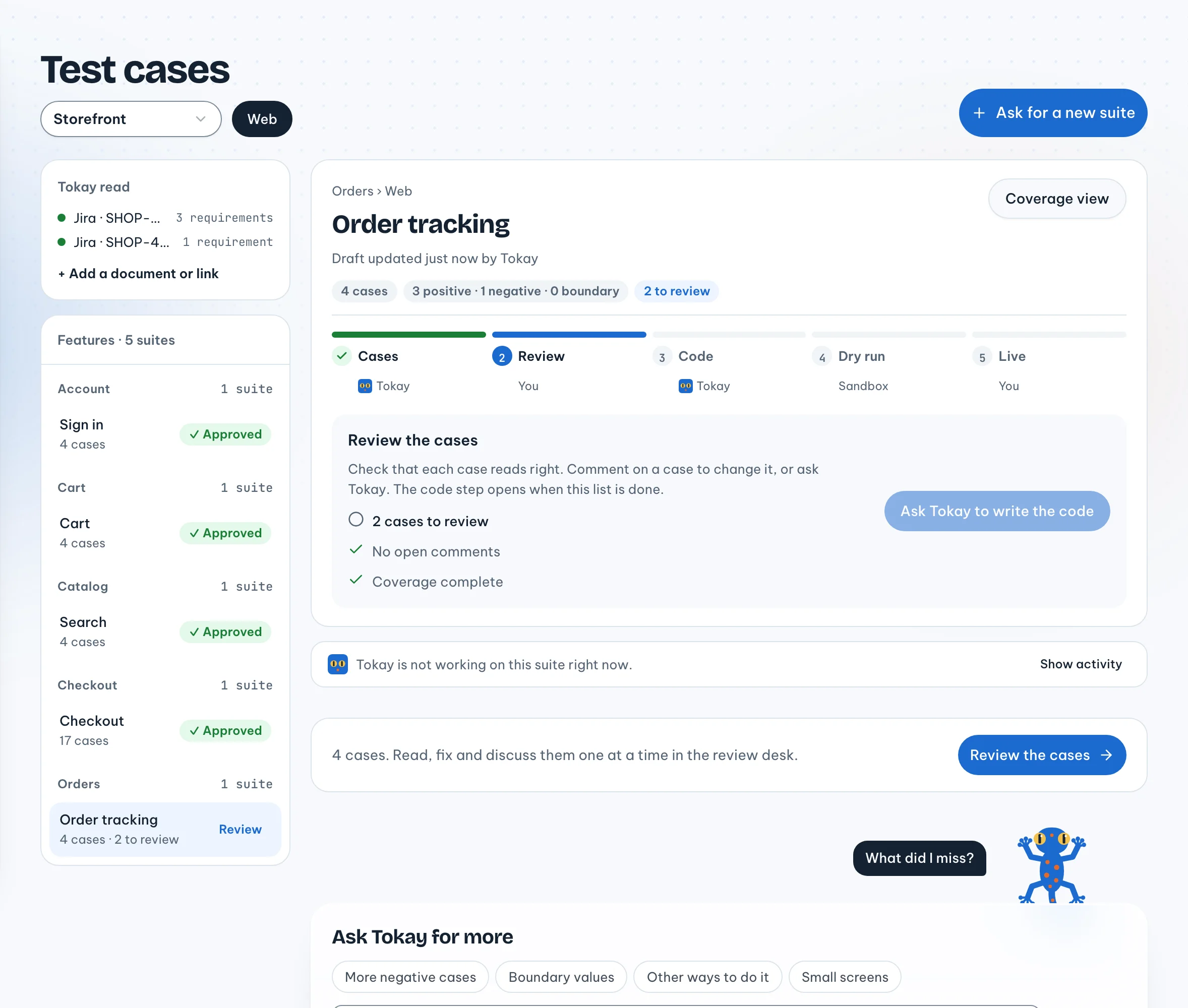
You review a design the way you review a document: mark each case "Looks right", edit by hand, or
mention @Tokay in a comment so it proposes a change that you accept or reject. If a row is edited
after it was reviewed, it needs a fresh review.
Only when coverage is ready and every case has been reviewed by a person in its current form does
Tokay generate code: each Examples row becomes one test() with a title like TC-2.3. That code gets
a dry run, and the results are mapped back to the rows of the design. So when TC-2.3 fails, you know
right away it is the "9 digits" case, not some line somewhere in a 400-line file.
The price
Writing the design first is slower than writing the code straight away, by a few minutes for a small form. In return, what you approve is something you can read, and "what does this suite try?" always has an answer without opening the code.